
S-07 · NETWORKING & FIBRE
Structured cabling, networking and fibre optic in Kuala Lumpur.
In a modern building, IP cameras, and more and more access controllers and intercom panels, are devices on a network. When the network is untidy, every system on it is unreliable.
Occhio Tec installs and maintains the structured cabling, network switches and fibre optic links a building's security systems run on, for condominiums and commercial buildings in Kuala Lumpur. Structured cabling carries each camera, access controller and intercom back to the riser and the rack; fibre carries the backbone over long runs and between blocks, where copper distance limits or electrical noise would otherwise dictate the layout.
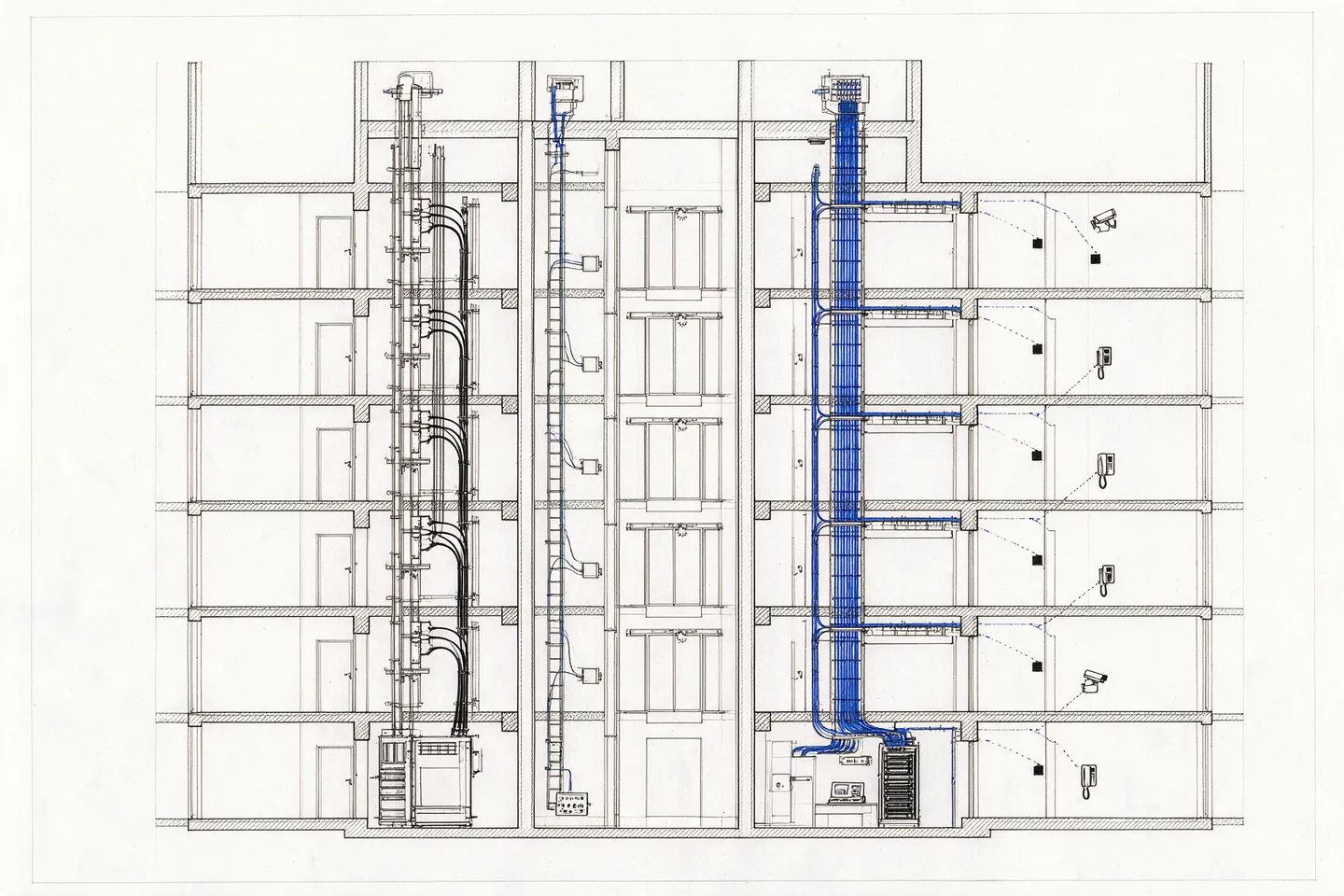
What a building’s security network is
Networking is the layer every other system rides on. Cameras, access controllers, intercom panels and recorders that once had cables of their own now run over network cabling and switches, often sharing one backbone with each system kept on its own segment: structured cabling from each device to a cabinet on its floor or in the riser, switches that join them, a backbone up the building and across to the guardhouse, and the power that keeps all of it running.
It is two services on our list, networking and fibre optic transmission; the backbone is often fibre while the runs to each device are copper.
The parts of the network
- Structured cabling from each device, labelled and testedFIELD
- Floor or riser cabinets with patch panelsPER FLOOR / RISER
- Network switches, often powering cameras over the cableCABINET
- Backbone up the ELV riserVERTICAL
- Fibre links between blocks and to the guardhouseSITE
- Power supplies and backup powerSHARED
- Surge protection where cables leave the buildingOUTDOOR RUNS
The rack housekeeping decides whether any of the systems on the network stays reliable: cables labelled at both ends, patch leads that can be traced, and a record of which port feeds which device.
Copper or fibre
Copper network cable has a length limit, so a camera at the far end of a car park, a guardhouse at the gate or a second block can be out of its reach, and copper laid beside power cables can pick up electrical noise. Fibre carries the signal over those distances and between blocks without either problem. An all-dielectric fibre cable also carries no current, so it breaks the electrical path between two structures, which matters in a lightning storm.
Which riser the backbone may share, and how far its cables can run, is set out in ELV, TEL and electrical risers.
When the network is the fault
A camera that drops out at random, a door controller that goes offline, or a whole floor of devices lost at once is often a network fault rather than a device fault: a failing switch, a power supply, a damaged or badly terminated cable, or a surge. A single surge can take out cameras, controllers, network switches and barrier electronics in one stroke, which is why we treat surge protection as a planning matter rather than a repair one. See lightning damage to condominium security systems, and for recording faults, CCTV that is not recording.
Drawings and records
In older buildings the network is often as undocumented as the rest: equipment installed years ago by parties long gone, with no drawings, no records and no one who knows what is connected to what. Every run should be terminated to standard, tested and labelled before handover, and documented so that a stranger could service it later; ask for that in the quotation.
Our part
Established 2012, we supply, install and maintain the switches, fibre and structured cabling, power supplies and racks behind a building’s security systems, together with the systems that run on them, so one contractor answers for the network and for what rides on it. We work across the brands we supply, service and support, and we take over systems another contractor installed.
What to ask for in a quotation
- The cable type for each run, and the test result for every run at handover.
- Labelling at both ends, and an as-built record of which port feeds which device.
- The fibre route, and how many spare cores it leaves for later.
- Switch capacity, including the power budget for cameras powered over the cable.
- Backup power for the switches, and how long it runs.
- Surge protection on runs that leave the building.
- Maintenance after handover, priced separately: see maintenance and takeover.
Next step
A site survey traces the cabling, the risers and the racks as they are now, so the quotation is written against the network the building actually has. Request one through the form, or message us on WhatsApp at +60 11-6494 4931.
Questions committees ask about networking and fibre
Q-01Do you install fibre between blocks and to the guardhouse?
Yes. Fibre optic transmission is one of our services, used for long runs and between blocks where copper cannot reach or electrical noise would interfere.
Q-02Our cameras keep dropping offline. Could it be the network?
It can be. A failing switch, a power supply, a damaged cable or surge damage can all take devices offline; a site survey traces which.
Q-03Do you maintain cabling and networks another contractor installed?
Yes. Occhio Tec takes over and maintains systems another contractor installed.
Q-04Which areas do you cover?
High-rise condominiums and commercial buildings in Mont Kiara, Bangsar, KLCC, Desa Park City, Bukit Jalil, Petaling Jaya, Cyberjaya, Putrajaya and Klang, and the reach is still growing.